Open normal SUMO files
Load .sumocfg and .net.xml files, including additional polygons and POIs, without converting projects into a custom format.
 SumoGUIMac

Native macOS SUMO viewer
A lightweight SwiftUI + Metal alternative to sumo-gui for opening SUMO scenarios, running or attaching over TraCI, visualizing live traffic, and inspecting the objects that matter.
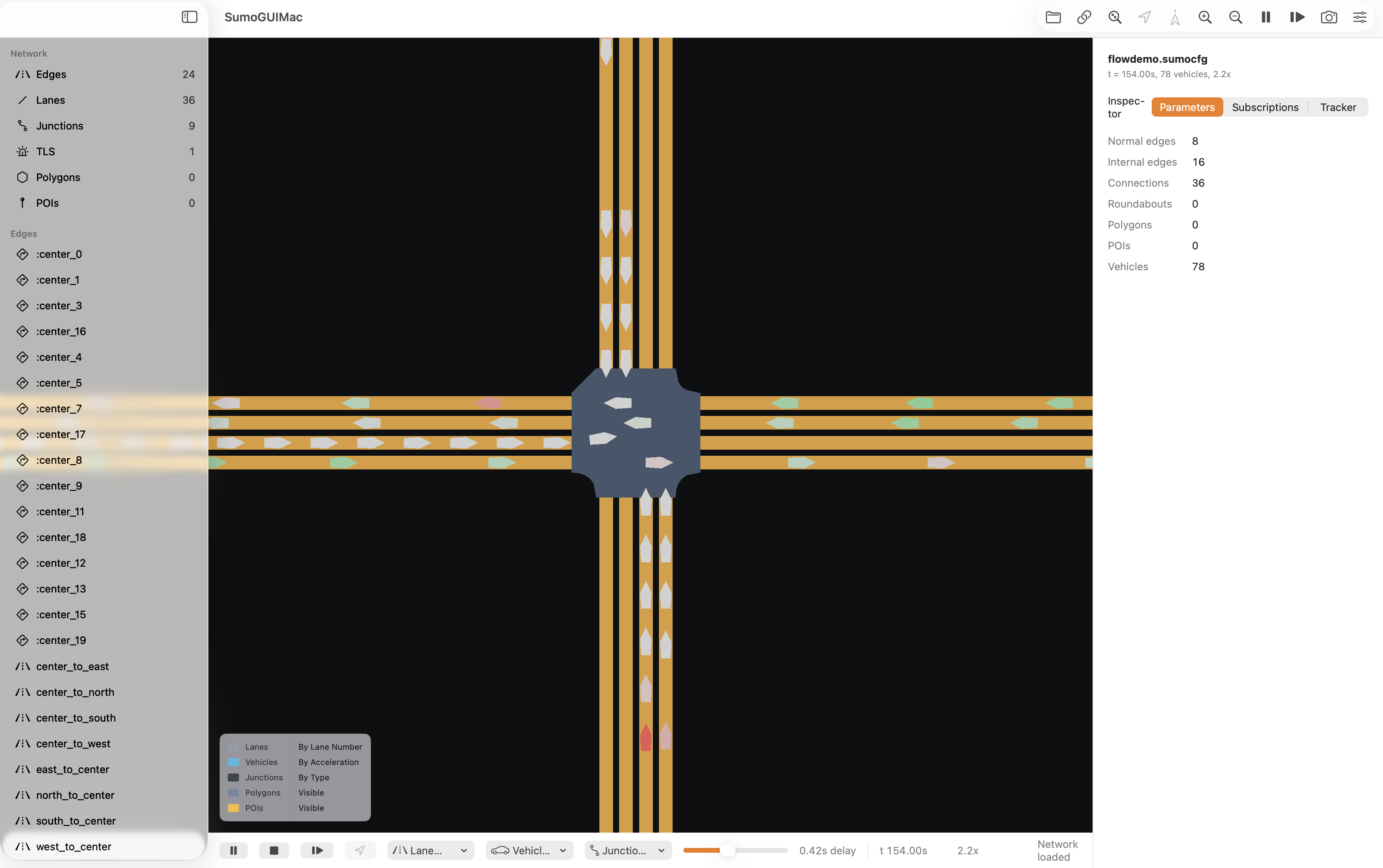
flowdemo.sumocfg at 154 seconds with 78 live vehicles.SumoGUIMac focuses on the workflows researchers and engineers reach for first: open a scenario, watch traffic move, inspect objects, tune visualization, and attach to controller-driven runs.
Load .sumocfg and .net.xml files, including additional polygons and POIs, without converting projects into a custom format.
Launch a local SUMO process or attach as a viewer client to an external run driven by another controller.
Draw lanes, junctions, live vehicles, selected routes, polygons, POIs, and background decals with a native GPU renderer.
Select vehicles and edges, copy identifiers, follow vehicles, highlight routes, set breakpoints, and chart selected-object variables.
Use familiar sidebars, inspector tabs, toolbar actions, keyboard shortcuts, Open Recent, and native dark-mode presentation.
The app is MIT licensed and interoperates with a separately installed Eclipse SUMO runtime over TraCI.
The alpha is intentionally narrow: a lightweight viewer and inspector, not a full replacement for netedit, 3D mode, detector tooling, or every advanced SUMO GUI panel.
That narrower scope is the point. It gives macOS users a clean way to work with SUMO scenarios when the upstream GUI feels out of place or unreliable on modern systems.
This is ready to present as a lightweight macOS alternative, while staying clear about the pieces that still belong to a later parity pass.
SumoGUIMac does not bundle Eclipse SUMO. Install SUMO separately, then build the native macOS app from source.
git clone https://github.com/christofilojohn/SumoMacGUI.git
cd SumoMacGUI
swift test
xcodebuild -project SumoGUIMac.xcodeproj \
  -scheme SumoGUIMacApp \
  -configuration Debug \
-destination platform=macOS buildSumoGUIMac interoperates with a user-installed Eclipse SUMO runtime and is not affiliated with or endorsed by the SUMO maintainers. Please credit Eclipse SUMO, the open-source Simulation of Urban MObility project developed primarily by DLR's Institute of Transportation Systems, when using this work in research, demos, or derived projects.